Table of contents
Active Directory
Active Directory is used to fetch users and provide them their logins to Tikting through Active Directory.
Connecting Active Directory
Step 1 - Enter Server Details
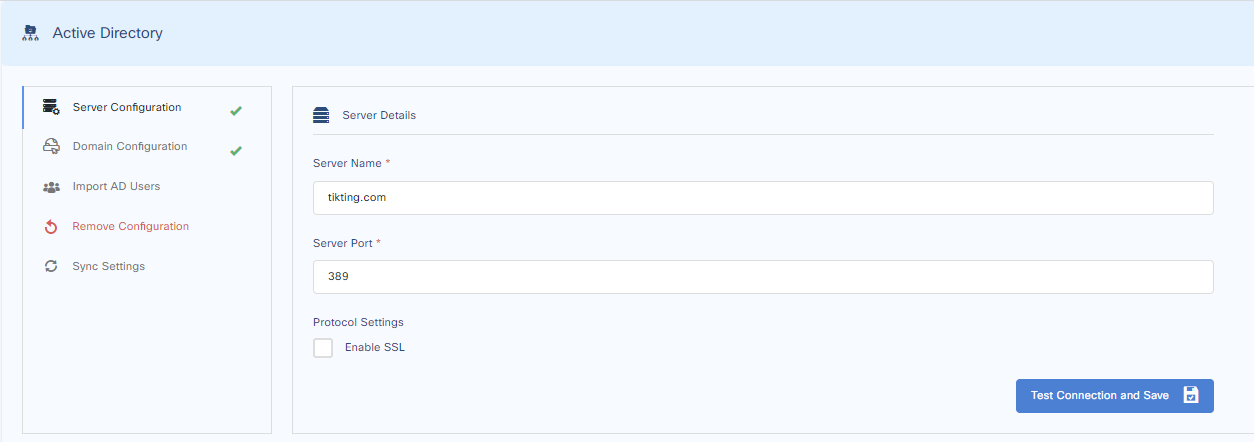
Go to Customize > Active Directory > Server Configuration
Fill in the details of your Domain Controller. Alternatively, you can also fill in its IP address.
Let the server port remain 389 as this is the standard port for Active Directory.
Press the Test Connection and Save buttons.
Step 2 - Domain Configuration
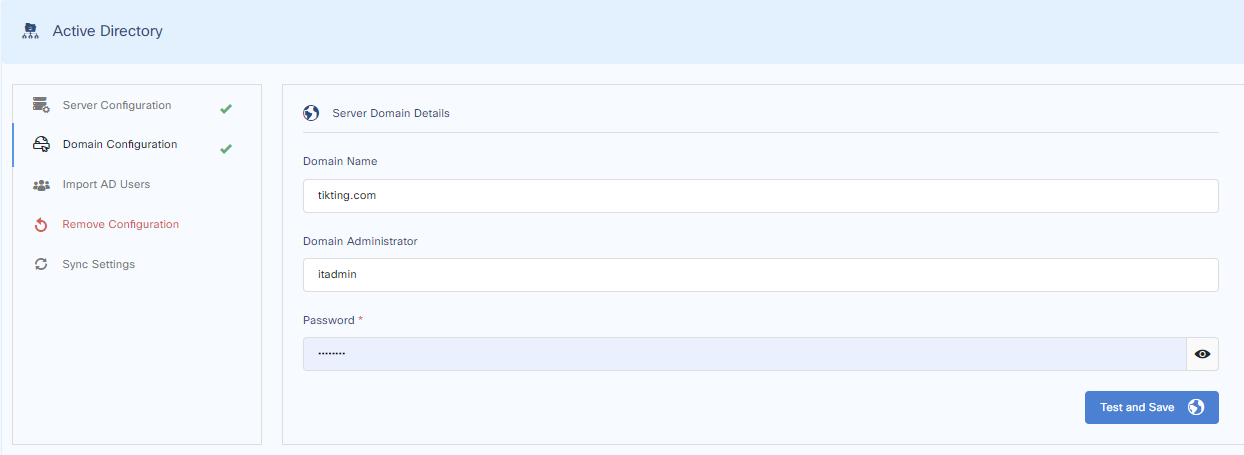
Fill in the domain name, your Tikting service account and password, and press next.
Step 3 - Import Users from Active Directory
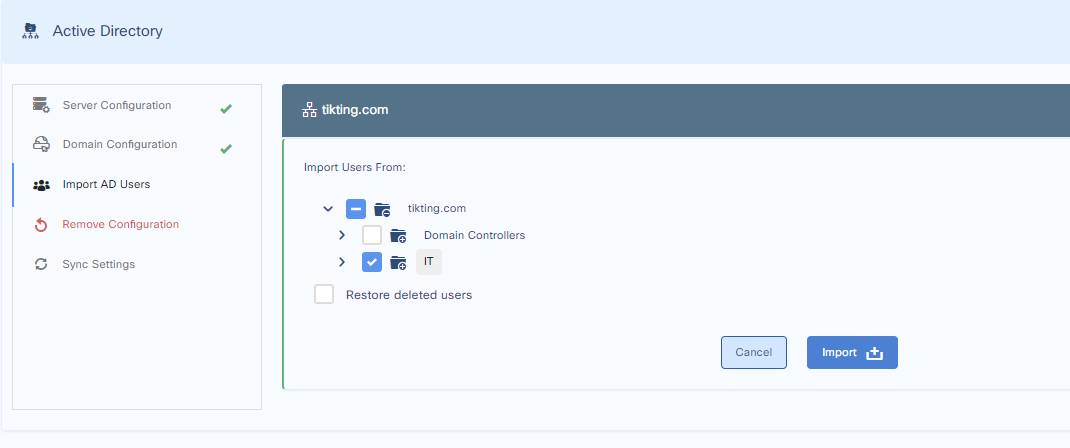
On this page, select the OU you want to fetch the users from and press import.