Custom Fields
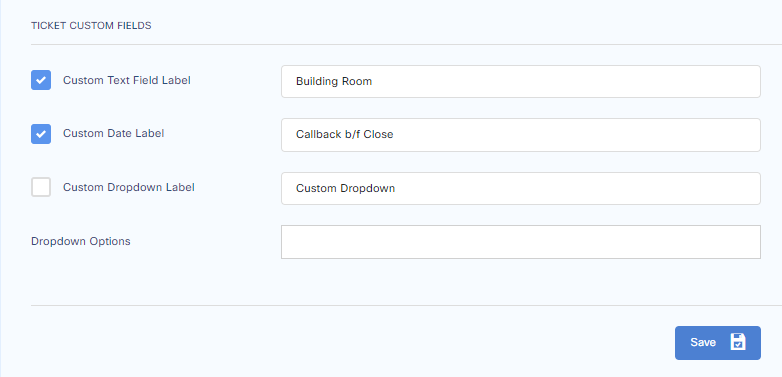
Custom fields are provided to attribute tickets with your custom fields. These fields can be filtered in the ticket list view and advanced search options.
Add Custom Fields
To add custom fields, go to:
Customize > General Settings > Custom Fields
Select the fields which you want to add, press the check box next to them, and press save to exit.
Custom Fields in Ticket List view
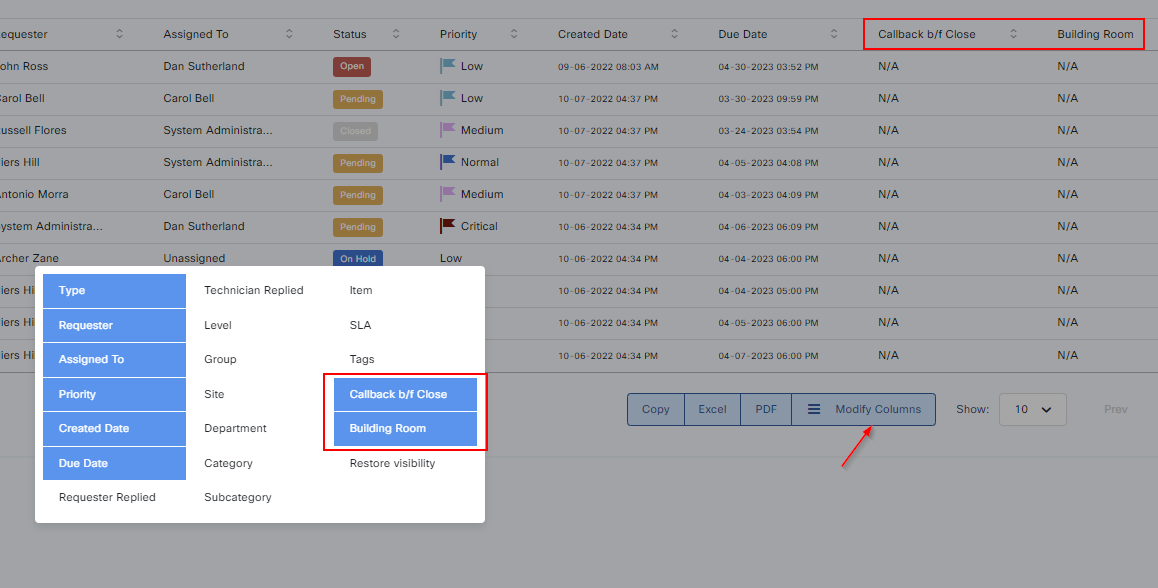
You can now see these fields under Modify Columns in the ticket list view. Press your new fields and click outside to exit.
Searching Tickets with Custom Fields
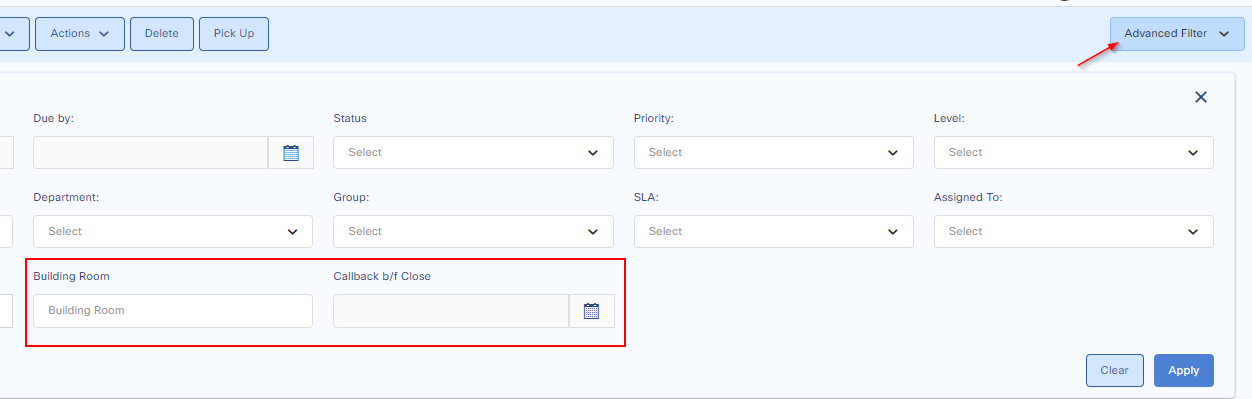
These fields can be seen in advanced search.
Applying Custom Fields to Tickets
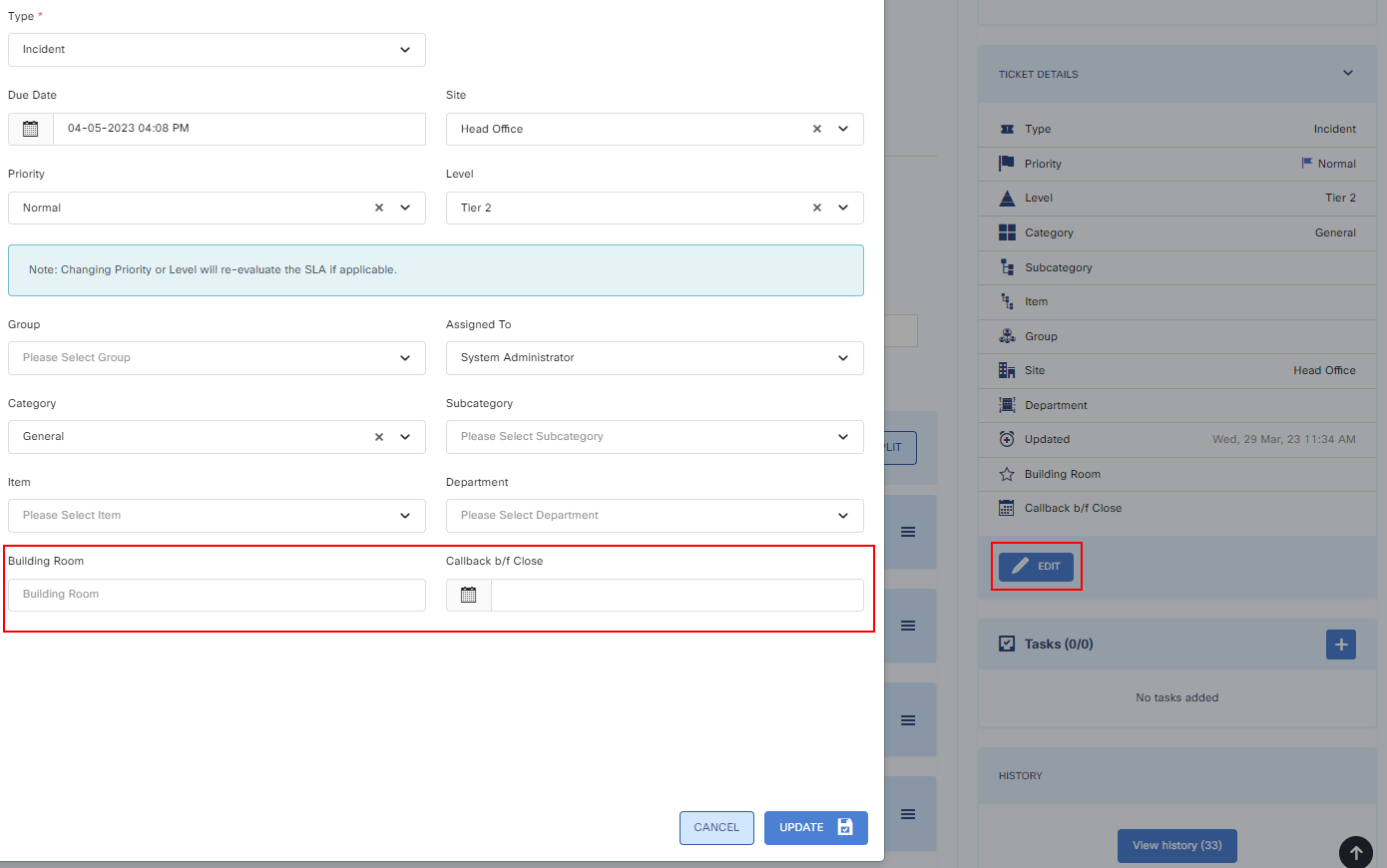
Tickets can be updated with the desired custom fields.
To do that, go to:
Ticket > Edit Ticket Details > Enter data for your custom fields
Press Update to finish.